This article contains affiliate links: if you buy through them, we may earn a commission at no extra cost to you.
DnD is a weird hobby to buy a printer for. One session you’re printing a 25mm halfling rogue with a quiver full of tiny arrows. Next week it’s a CR 20 ancient dragon that barely fits the build plate. The week after that, you need ten identical goblins because your DM is feeling generous.
No other tabletop game demands this much range from a single printer. That’s what this guide is specifically about: picking a resin printer that handles the full DnD spectrum without forcing you to compromise every time you open your slicer.
For everything else (setup, first print workflow, resin selection) check out the complete beginner’s guide to 3D printing resin miniatures.
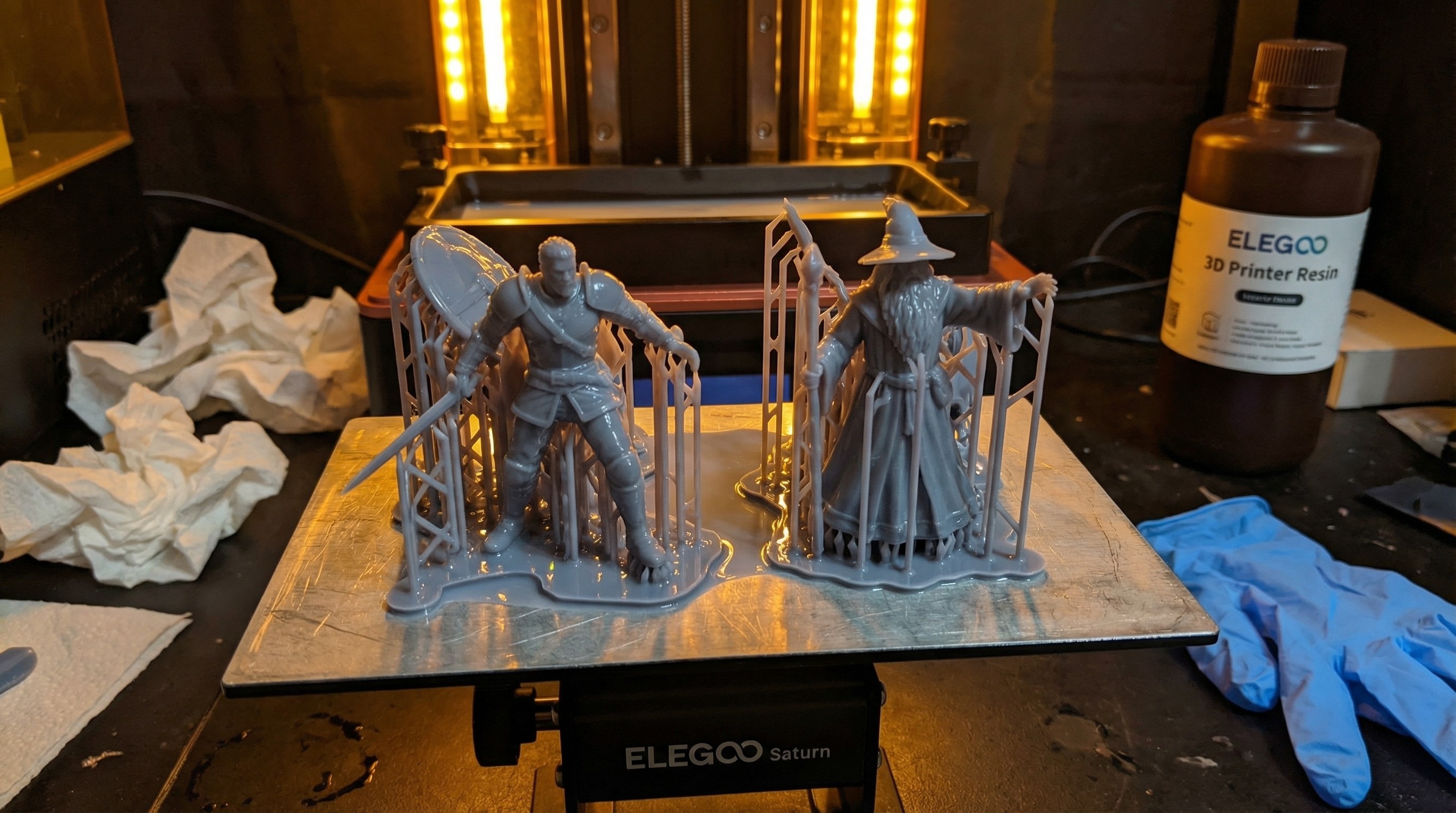
Specs here come from the manufacturers and performance notes from published reviews. My own printer is an original Elegoo Saturn.
What DnD Printing Actually Requires
Before the recommendations, the criteria. DnD puts three distinct demands on a printer:
1. Resolution for small detail Character models have fine features: face detail, hair, buckles, spell component pouches. You need at least 35µm XY resolution for these to look right at arm’s length. The best modern printers are hitting roughly 14-28µm, which is overkill but welcome.
2. Build volume for large models A Huge creature in 5e is 15×15 feet: at 1:60 scale (standard 25-32mm), that’s roughly 75mm on a side. A Gargantuan creature can push 100mm+. You need a build plate that can handle those without splitting the model into multiple prints and trying to glue them seamlessly.
3. Batch capability for encounters Your DM dropped twelve zombie miniatures on the table and you have four. Printing encounters means fitting 8-12 medium creatures on a single plate. A small build plate is a real constraint here.
FDM printers can do larger volume, but they can’t touch the resolution. For painted DnD minis you’ll actually be proud of, resin is the right call. (See the best budget resin printer guide if you’re not ready to commit to a bigger spend.)
The Recommendations
Best Overall: Elegoo Saturn 4 Ultra
The Saturn 4 Ultra is not a subtle piece of equipment. 16K mono LCD, a 211.68 × 118.37mm build plate, 14 × 19µm XY resolution. It’s a lot of printer.
For DnD specifically, it earns this slot because the build plate is genuinely large enough for Huge creature bases without constant compromise. A 75-80mm monster base fits with room for supports, since the short side is 118.37mm. That matters when you’re printing a dragon encounter that has three different creature sizes on the same print run.
The 16K LCD is technically beyond what you’ll perceive at normal mini-viewing distance. At 14 × 19µm the pixel is finer than terrain or character detail needs, so the plate is the real draw. If you’re deciding between the Saturn 4 Ultra and the Anycubic Photon Mono M7 Pro specifically, our side-by-side comparison breaks down where each one wins for miniature painters.
Specs that matter for DnD:
- XY resolution: 14 × 19µm (16K)
- Build volume: 211.68 × 118.37 × 220mm
- Print speed: Up to 150mm/h (rated)
- Price: check current price
Best for: Players who regularly print large monsters and terrain alongside character models.
Best Mid-Range: Elegoo Mars 5 Ultra
The Mars 5 Ultra hits the sweet spot most DnD players actually need. Smaller build plate than the Saturn (153.36 × 77.76mm), but 9K resolution (18µm) and a mono LCD rated up to 150mm/h. At 18µm per pixel it is spec’d finer than character-scale detail needs. Its plate fits party members and medium creatures, Huge creatures need splitting, and it is compact enough that it won’t take over a desk.
The limitation for DnD is the build volume. Huge creatures require splitting or creative orientation. If your campaign involves a lot of large boss monsters, the Saturn 4 Ultra is worth considering. If you mostly print party members, NPCs, and medium-to-large enemies, the Mars 5 Ultra is the smarter buy, and the price difference may make it an easier call.
Specs that matter for DnD:
- XY resolution: 18µm (9K)
- Build volume: 153.36 × 77.76 × 165mm
- Print speed: Up to 150mm/h (rated)
- Price: check current price
Best for: Players primarily printing character models, humanoids, and medium-to-large creatures.
Best Budget Pick: Anycubic Photon Mono 4 (10K)
The Photon Mono 4 (10K) is not the cheapest resin printer you can buy, so don’t treat it as the default budget pick. At 10K resolution (17 × 17µm XY), the numbers put it well past what a 4K machine can resolve for face detail, weapon textures, and small props like a halfling’s spell component pouches. That pixel size is on par with the Mars 5 Ultra’s 18µm and well below the older 4K generation it replaces.
Build plate is 153.4 × 87mm, about 42% smaller by area than my original Saturn’s 192 × 120mm plate, which fits 10 to 12 standard 28mm figures per run. Expect a bit over half as many medium creatures per run. For a single player printing their party and a rotating cast of NPCs, that’s a workable cadence. For a DM trying to print a full encounter’s worth of creatures before Friday night, it gets slower. That’s where the Saturn 4 Ultra starts making sense.
What makes the 10K worth recommending as the budget entry for DnD specifically is the resolution. DnD character models have fine features: you want them to look right. At 17 × 17µm the Mono 4 clears the detail DnD figures need on paper, without flagship money.
For everything you need to know about getting started on day one, the beginner’s guide has the full setup walkthrough.
Specs that matter for DnD:
- XY resolution: 17 × 17µm (10K)
- Build volume: 153.4 × 87 × 165mm
- Print speed: Up to 50mm/h standard resin, up to 70mm/h high-speed resin (rated)
- Price: check current price
Best for: Players who want genuine resolution quality without going full Saturn.
Honorable Mention: Anycubic Photon Mono M7 Pro
The M7 Pro earns a mention for players who want the largest plate in this group. At 223 × 126 × 230mm it is bigger than both the Mars 5 Ultra and the Saturn 4 Ultra (211.68 × 118.37 × 220mm), which makes Huge creature prints without splitting realistic on paper.
The resolution gap is small: its pixels are 16.8 × 24.8µm, against the Saturn 4 Ultra’s 14 × 19µm and the Mars 5 Ultra’s 18µm. That is a modest difference for character-scale detail, so the plate is the draw. The price gap against the Saturn 4 Ultra decides whether it is the better buy for DnD DMs who need to print big stuff regularly. Full breakdown in our Anycubic M7 Pro review.
Comparison Table
| Printer | XY Resolution | Build Volume | Best DnD Use |
|---|---|---|---|
| Elegoo Saturn 4 Ultra | 14 × 19µm | 211.68 × 118.37mm | Large monsters, terrain, batch encounters |
| Elegoo Mars 5 Ultra | 18µm | 153.36 × 77.76mm | Character models, medium creatures |
| Anycubic Photon Mono M7 Pro | 16.8 × 24.8µm | 223 × 126mm | Largest plate of the four |
| Anycubic Photon Mono 4 (10K) | 17 × 17µm | 153.4 × 87mm | Budget entry with real resolution |
Check current price on all four.
What Resin to Use
The printer is only half the equation. For DnD minis that survive actual play (getting picked up, dropped, jostled in a dice tray) you want an ABS-like resin rather than standard resin. ABS-like formulations are tougher and more flexible, which matters when a goblin’s spear snaps off on its third session.
The best resin for miniatures guide goes through the main options with a play-vs.-display breakdown. Short version: Siraya Tech Blu (now sold as Blu Tough in Easy Grey) and Elegoo ABS-Like are the two I’d start with.
Where to Get Your STL Files
A great printer is useless without models to print. For DnD specifically, you have excellent options:
- MyMiniFactory / Tribes: Subscription-based access to professional-quality DnD models. Artisan Guild, Titan Forge, and Archvillain Games are the standout creators. See the Artisan Guild review for an honest breakdown of their releases.
- Printables: Large free library; quality varies widely but there are genuine gems. For a curated list of DnD-specific free files worth printing, the best free DnD STL miniatures roundup covers 50+ characters, monsters, and terrain organized by type.
- Patreon creators: Often the bleeding edge for unique monster designs and setting-specific factions.
The full STL sources guide covers all of these with a breakdown of what you actually get for the price. If you also run Warhammer 40K and want printer recommendations specific to heroic-scale batch army printing, the best resin printer for Warhammer 40K guide has a separate breakdown for that use case. Pathfinder players should check the best resin printer for Pathfinder miniatures guide instead, since ancestry-heavy character printing has a different scale mix than DnD’s range.
Frequently Asked Questions
Do I need 8K or 12K resolution for DnD minis? Not necessarily. 10K (17 × 17µm XY) (which is what the Photon Mono 4 (10K) delivers) is more than sufficient for 28--32mm character models at table distance. Higher resolution is nice but it’s not the bottleneck for most DnD printing. Build plate size matters more for DnD than chasing extra resolution beyond 10K.
Can a resin printer handle terrain? Yes, with caveats. Resin terrain looks excellent: walls, dungeon tiles, scatter terrain. But terrain pieces are volume-hungry and large terrain can stress a smaller build plate. If terrain is a priority, lean toward a larger build plate printer (Saturn 4 Ultra, M7 Pro).
What about FDM printers for terrain? FDM is a legitimate choice for large terrain specifically. If you’re printing dungeons walls at scale, FDM’s faster print time and lower resin cost per cubic centimeter starts to make sense. For minis, resin wins on resolution. For big terrain, FDM is worth considering alongside resin.
Is a wash and cure station necessary? Yes. Washing prints in an IPA jar works, but dedicated wash and cure stations (Elegoo Mercury Plus, Anycubic Wash & Cure Plus) make the workflow dramatically faster and more consistent. Plan for that purchase alongside your printer.