This article contains affiliate links — if you buy through them, we may earn a commission at no extra cost to you.
DnD is a weird hobby to buy a printer for. One session you’re printing a 25mm halfling rogue with a quiver full of tiny arrows. Next week it’s a CR 20 ancient dragon that barely fits the build plate. The week after that, you need ten identical goblins because your DM is feeling generous.
No other tabletop game demands this much range from a single printer. That’s what this guide is specifically about: picking a resin printer that handles the full DnD spectrum without forcing you to compromise every time you open your slicer.
For everything else — setup, first print workflow, resin selection — check out the complete beginner’s guide to 3D printing resin miniatures.
What DnD Printing Actually Requires
Before the recommendations, the criteria. DnD puts three distinct demands on a printer:
1. Resolution for small detail Character models have fine features: face detail, hair, buckles, spell component pouches. You need at least 35µm XY resolution for these to look right at arm’s length. The best modern printers are hitting 18–28µm, which is overkill but welcome.
2. Build volume for large models A Huge creature in 5e is 15×15 feet — at 1:60 scale (standard 25–32mm), that’s roughly 75mm on a side. A Gargantuan creature can push 100mm+. You need a build plate that can handle those without splitting the model into multiple prints and trying to glue them seamlessly.
3. Batch capability for encounters Your DM dropped twelve zombie miniatures on the table and you have four. Printing encounters means fitting 8–12 medium creatures on a single plate. A small build plate is a real constraint here.
FDM printers can do larger volume, but they can’t touch the resolution. For painted DnD minis you’ll actually be proud of, resin is the right call. (See budget options under $200 if you’re not ready to commit to a bigger spend.)
The Recommendations
Best Overall: Elegoo Saturn 4 Ultra
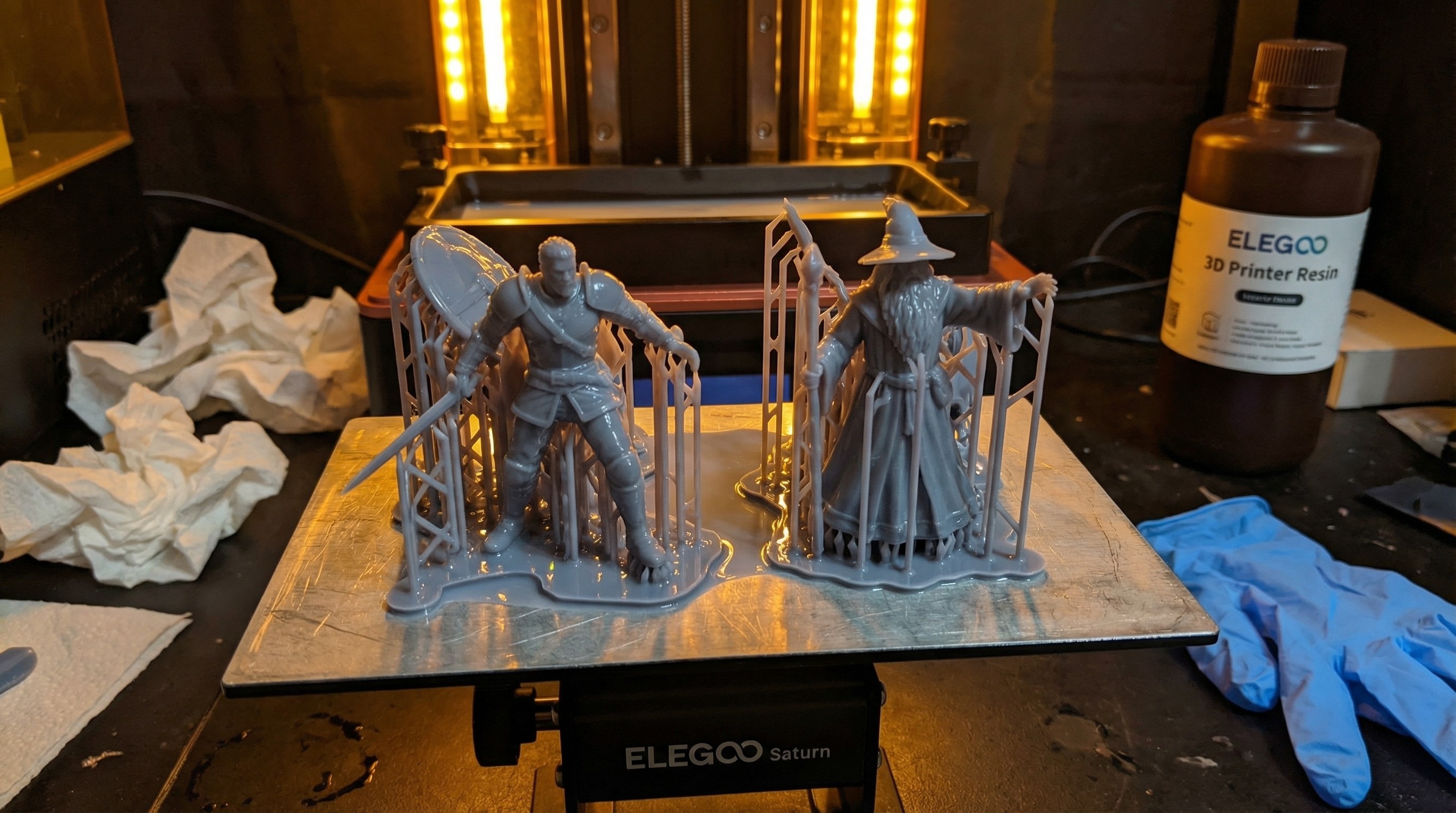
The Saturn 4 Ultra is not a subtle piece of equipment. 16K mono LCD, 12-inch build plate (218 × 123mm), 10K XY resolution. It’s a lot of printer.
For DnD specifically, it earns this slot because the build plate is genuinely large enough for Huge creature bases without constant compromise. You can fit a 75–80mm monster base with room for supports and still have plate space left. That matters when you’re printing a dragon encounter that has three different creature sizes on the same print run.
The 16K LCD is technically beyond what you’ll perceive at normal mini-viewing distance. But the real benefit is consistency — you get clean layer transitions and no banding on broad flat surfaces like terrain floors and walls. More on that printer specifically in the Elegoo Saturn 4 Ultra review for miniatures.
Specs that matter for DnD:
- XY resolution: 18µm (16K)
- Build volume: 218 × 123 × 220mm
- Print speed: Up to 150mm/h
- Approximate price: $400–$450
Best for: Players who regularly print large monsters and terrain alongside character models.
Best Mid-Range: Elegoo Mars 5 Ultra
The Mars 5 Ultra hits the sweet spot most DnD players actually need. Smaller build plate than the Saturn (153 × 77mm), but 12K resolution and a fast mono LCD. It handles character models excellently, manages medium creatures without issue, and is compact enough that it doesn’t need its own dedicated table.
The limitation for DnD is the build volume. Huge creatures require splitting or creative orientation. If your campaign involves a lot of large boss monsters, the Saturn 4 Ultra is worth the extra cost. If you mostly print party members, NPCs, and medium-to-large enemies, the Mars 5 Ultra is the smarter buy — you’ll use it more and spend less.
Specs that matter for DnD:
- XY resolution: 22µm (12K)
- Build volume: 153 × 77 × 165mm
- Print speed: Up to 120mm/h
- Approximate price: $200–$250
Best for: Players primarily printing character models, humanoids, and medium-to-large creatures.
Best Budget Pick: Anycubic Photon Mono 4K
Under $150, the Photon Mono 4K is the first resin printer most DnD players should buy. 4K resolution (35µm XY) is perfectly adequate for 28–32mm character models — you’ll see clean face detail, legible textures, and good line work at that resolution. It’s only when you push to very fine detail at 15–18mm (small familiars, tiny props) that you’ll notice the limitation.
Build plate is compact (132 × 80mm), so you’re printing 4–6 medium creatures at a time rather than ten. For a single player printing their own party, that’s fine. For a DM printing encounters, it gets tedious.
This is a proven starter machine. For everything you need to know about getting the most out of it on day one, the beginner’s guide has the full setup walkthrough.
Specs that matter for DnD:
- XY resolution: 35µm (4K)
- Build volume: 132 × 80 × 165mm
- Print speed: Up to 80mm/h
- Approximate price: $130–$160
Best for: New printers, single-party printing, hobbyists on a budget.
Honorable Mention: Anycubic Photon Mono M7 Pro
The M7 Pro earns a mention for players who want large-format printing at a more accessible price than the Saturn 4 Ultra. It has a bigger build plate than the Mars 5 (196 × 122mm) and hits decent resolution (28µm), making it viable for Huge creature prints without splitting.
The tradeoff is print speed — it’s slower than the Saturn at equivalent quality settings, and the support removal experience is slightly rougher on large flat surfaces. But for the price, it’s a legitimate large-format option for DnD DMs who need to print big stuff regularly. Full breakdown in the Anycubic M7 Pro review.
Comparison Table
| Printer | XY Resolution | Build Volume | Best DnD Use | Approx. Price |
|---|---|---|---|---|
| Elegoo Saturn 4 Ultra | 18µm | 218 × 123mm | Large monsters, terrain, batch encounters | $400–$450 |
| Elegoo Mars 5 Ultra | 22µm | 153 × 77mm | Character models, medium creatures | $200–$250 |
| Anycubic Photon Mono M7 Pro | 28µm | 196 × 122mm | Large-format on a budget | $250–$300 |
| Anycubic Photon Mono 4K | 35µm | 132 × 80mm | First printer, character focus | $130–$160 |
What Resin to Use
The printer is only half the equation. For DnD minis that survive actual play — getting picked up, dropped, jostled in a dice tray — you want an ABS-like resin rather than standard resin. ABS-like formulations are tougher and more flexible, which matters when a goblin’s spear snaps off on its third session.
The best resin for miniatures guide goes through the main options with a play-vs.-display breakdown. Short version: Siraya Tech Blu and Elegoo ABS-Like are the two to start with.
Where to Get Your STL Files
A great printer is useless without models to print. For DnD specifically, you have excellent options:
- MyMiniFactory / Tribes — Subscription-based access to professional-quality DnD models. Artisan Guild, Titan Forge, and Archvillain Games are the standout creators.
- Thingiverse / Printables — Large free library; quality varies widely but there are genuine gems.
- Patreon creators — Often the bleeding edge for unique monster designs and setting-specific factions.
The full STL sources guide covers all of these with a breakdown of what you actually get for the price.
Frequently Asked Questions
Do I need 8K or 12K resolution for DnD minis? No. 4K (35µm XY) is sufficient for 28–32mm character models when you look at them across a table. Higher resolution is nice, but it’s not the bottleneck for most DnD printing. Build plate size matters more for DnD than resolution does.
Can a resin printer handle terrain? Yes, with caveats. Resin terrain looks excellent — walls, dungeon tiles, scatter terrain. But terrain pieces are volume-hungry and large terrain can stress a smaller build plate. If terrain is a priority, lean toward a larger build plate printer (Saturn 4 Ultra, M7 Pro).
What about FDM printers for terrain? FDM is a legitimate choice for large terrain specifically. If you’re printing dungeons walls at scale, FDM’s faster print time and lower resin cost per cubic centimeter starts to make sense. For minis, resin wins on resolution. For big terrain, FDM is worth considering alongside resin.
Is a wash and cure station necessary? Yes. Washing prints in an IPA jar works, but dedicated wash and cure stations (Elegoo Mercury Plus, Anycubic Wash & Cure Plus) make the workflow dramatically faster and more consistent. Plan for that purchase alongside your printer.